
What Happens If Your In-Flight Entertainment Screen Does Not Work?
A broken in-flight entertainment screen can make a long flight feel much longer, especially if repeated resets do not fix it and there are no spare seats available. What happens next depends on whether the fault can be repaired, whether you can move seats and what the airline can reasonably offer during or after the flight.
Quick Answer
Tell cabin crew as soon as you realise the screen is not working. They may be able to reset the system, check the controls or move you if another suitable seat is available. If it cannot be fixed, keep a note of what happened and contact the airline afterwards if you want to complain or ask for a refund or goodwill gesture.
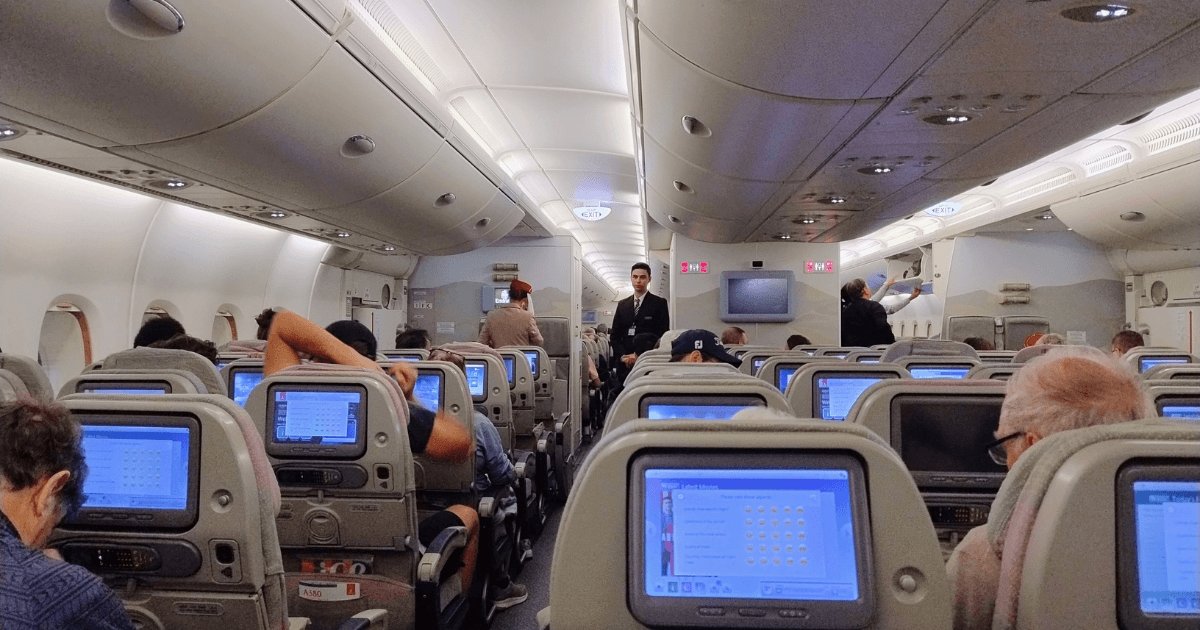
What Should You Do First?
If your entertainment screen is not working, report it early rather than waiting until several hours into the flight. Some faults can be fixed with a simple reset, while others may need cabin crew to check the system or confirm that the screen cannot be repaired in the air.
-
Check the obvious things first
Make sure the screen is switched on, the brightness has not been turned down and any handset or remote is responding. If there is no sound, check the headphone plug and socket before assuming the whole system has failed.
-
Tell cabin crew
Let a crew member know what is happening and give them your seat number. Explain whether the screen is completely blank, frozen, repeatedly restarting or working without sound so they know what type of fault they are dealing with.
-
Let them try a reset
Cabin crew may be able to restart your screen or reset part of the entertainment system. A reset can take several minutes, so give it time to reload before checking whether the problem has been fixed.
-
Tell them if it still does not work
If the reset fails, let the crew know rather than assuming nothing else can be done. They may be able to try another fix, check whether another seat is available or explain what alternatives are possible for the rest of the flight.
What Can Cabin Crew Do?
Cabin crew may be able to fix some entertainment problems during the flight, but their options depend on the aircraft, the type of fault and whether there are any suitable spare seats.
They may be able to reset your screen
For a frozen or unresponsive screen, cabin crew may be able to restart your individual unit or reset part of the entertainment system. It can take several minutes for the system to reload after a reset.
The problem may not be the screen itself
If the picture works but there is no sound, or the controls are not responding properly, crew may be able to check the handset, headphone connection or another obvious part of the system before deciding that the entertainment unit has failed.
You can ask whether a working seat is available
If the fault cannot be fixed, ask whether there is another suitable seat with working entertainment. Whether you can move will depend on availability and any operational or seating restrictions, so this may not be possible on a full flight.
The crew may not be able to repair it in the air
If repeated resets fail and there is nowhere else to move you, cabin crew may have no practical way to restore the service during the flight. At that point, ask whether there are any alternative entertainment options and make sure the fault has been reported.
What If the Screen Still Does Not Work?
If cabin crew have tried to reset the entertainment system and the screen still does not work, there may be very little that can be repaired during the flight. At that point, focus on what alternatives are actually available.
Ask whether another suitable seat is available
If there is a spare seat with working entertainment, cabin crew may be able to move you. On a full flight, however, there may simply be nowhere else to go.
Ask whether you can stream entertainment to your own device
Some aircraft offer entertainment or streaming that can be accessed on your phone, tablet or laptop. Availability varies by airline and aircraft, so ask cabin crew whether your flight has an alternative system you can use.
Make sure the fault has been reported
If there is no working replacement seat and no other entertainment option, make sure cabin crew know that the problem remains unresolved. Note your seat number and what troubleshooting was attempted in case you want to contact the airline after the flight.
Sometimes there is no onboard solution
On a full flight with a failed seatback unit, repeated resets may be all the crew can try. If the screen cannot be restored and there is nowhere to move you, any further complaint or request for a refund or goodwill gesture will usually need to be dealt with after the flight.
Can You Move to Another Seat?
You can ask to move if your entertainment system cannot be fixed, but a broken screen does not automatically mean another seat will be available. Cabin crew will need to consider spare seats as well as any operational or safety restrictions.
| Situation | What may happen |
|---|---|
| There is a suitable empty seat nearby | Ask cabin crew whether you can move to it. Do not assume an apparently empty seat is available, as it may be kept free or subject to seating restrictions. |
| There are empty seats elsewhere in your cabin | Crew may be able to move you to another part of the cabin if a suitable seat is available. Whether they can do so is ultimately for the crew to decide. |
| The only empty seats are in a higher cabin | You can ask what options are available, but a faulty entertainment screen does not give you an automatic right to an upgrade. |
| The flight is completely full | There may be nowhere to move you even if the crew accepts that your screen is faulty. If it cannot be repaired, make sure the problem is recorded and ask what alternatives are available. |
Always arrange a move through cabin crew rather than changing seats yourself. Passenger seating can be affected by safety, security and operational requirements, particularly around emergency exits and during taxi, take-off, landing or turbulence.
Is It Just Your Screen or the Whole Entertainment System?
It can help to know whether the fault affects only your seat or several passengers. Cabin crew may handle an individual screen failure differently from a wider problem affecting part or all of the aircraft.
Your screen is completely blank
Tell cabin crew your seat number and whether the screen has worked at any point during the flight. They may be able to restart the individual unit or check whether the problem is isolated to your seat.
Your screen freezes or keeps restarting
A temporary reset may solve the problem, but if the screen repeatedly freezes again, let cabin crew know that the fault has returned. Repeated failures may mean there is no reliable onboard fix for that unit.
The picture works but there is no sound
Check that the headphones are fully connected and, if possible, try another pair before assuming the entertainment system has failed. If there is still no sound, tell cabin crew because the headphone socket or entertainment unit may be faulty.
Several nearby passengers have the same problem
The fault may affect a group of seats rather than one screen. Cabin crew may be able to reset the affected section, although this can temporarily interrupt entertainment for other passengers while the system restarts.
The entertainment system is unavailable across the aircraft
If a wider system failure affects many or all passengers, moving seats is unlikely to solve the problem. Ask whether the airline has another entertainment option, such as streaming to your own device, and keep a note of the disruption if you want to complain afterwards.
What If You Paid Separately for the Entertainment?
If in-flight entertainment was an optional extra that you paid for separately and the service was not provided, check the airline’s refund policy. Some airlines specifically provide refunds where a paid entertainment service is unavailable.
| Situation | What to do |
|---|---|
| You paid for entertainment before the flight | Keep your booking confirmation or receipt showing the separate charge. If the entertainment was unavailable, ask the airline to refund the amount you paid for that service. |
| You bought entertainment on board | Keep the purchase confirmation and report the problem during the flight if possible. Check the airline’s onboard refund process, as this may be different from its normal flight-refund procedure. |
| Entertainment was included in your fare | There may be no separate entertainment charge to refund. You can still complain about the failed service, but any refund, miles, voucher or other remedy will depend on the circumstances and the airline’s policy. |
| You are not sure whether you paid for it | Check your booking confirmation, fare inclusions and any optional extras purchased before the flight. This will help show whether entertainment had a separate price. |
Airline policies are not all the same
Do not assume that another airline’s refund policy applies to your flight. Check the terms for the airline you travelled with and whether the entertainment was separately purchased, included in your fare or provided without an additional charge.
Can You Get Compensation or a Refund?
A broken entertainment screen does not normally give you an automatic fixed amount of flight compensation. If entertainment was included with your ticket, however, you can still complain to the airline and ask whether it will offer a partial refund, voucher, miles or another goodwill remedy.
Is there a set amount of compensation for a broken screen?
No standard UK flight-compensation amount applies simply because your in-flight entertainment did not work. The statutory compensation rules commonly used for air travel deal with problems such as qualifying delays and cancellations rather than an individual entertainment-system fault.
What if the entertainment was included in your ticket?
You can still make a complaint even if there was no separate entertainment charge to refund. Explain how long the flight was, how much of the journey you were without entertainment, what cabin crew tried to do and whether the flight was full so you could not be moved to a working seat.
Does a long-haul flight make a difference?
It is worth including the flight length in your complaint. Being without a working screen for most of a long-haul journey is a very different experience from losing entertainment for a short flight, although the length of the flight does not create an automatic compensation amount.
What if you were travelling in Premium Economy, Business or First?
Mention the cabin you travelled in and any relevant features the airline advertised as part of that cabin. A failed entertainment system may form a more significant part of your complaint where a larger screen or enhanced entertainment experience was specifically promoted, but this still does not guarantee a particular refund.
What might the airline offer?
The airline may reject the complaint, apologise without offering anything, or provide a goodwill gesture such as frequent-flyer miles, a travel voucher or a partial refund. What is offered varies between airlines and individual cases, so there is no reliable amount you should expect.
What if the airline offers miles or a voucher?
Read the offer carefully before accepting it, particularly if you intend to continue pursuing the complaint. Check whether there are expiry dates or other conditions and whether the airline says acceptance will settle the complaint.
If you flew with Cathay Pacific
Cathay Pacific currently advertises seatback in-flight entertainment across its fleet and provides an online feedback process for complaints about its flights and services. It does not publish a standard compensation amount for an individual entertainment screen failure, so explain what happened and ask Cathay to review the disruption to your particular journey.
What Evidence Should You Keep?
If the entertainment system cannot be fixed and you plan to complain afterwards, keep a simple record of what happened. You do not need to document every minute of the flight, but a few key details can make your complaint much clearer.
Your flight and seat details
Keep your flight number, date, route and seat number. This helps the airline identify the aircraft, booking and entertainment unit involved.
A photo of the faulty screen
If practical, take a quick photo showing the blank, frozen or error screen. You do not need to keep filming it throughout the flight.
What cabin crew tried
Make a brief note of whether the screen was reset, whether the fault returned and whether any other troubleshooting was attempted.
Whether you could move seats
Record whether you asked about moving and what you were told. If the flight was full and no working seat was available, include that in your complaint.
How long the problem lasted
Note roughly how much of the flight you were without working entertainment. This is particularly relevant on a long-haul journey where the problem lasted for many hours.
Any separate entertainment payment
If you paid specifically for entertainment, keep the receipt or booking confirmation showing the charge.
How Do You Complain Afterwards?
If the entertainment system could not be fixed during the flight, complain directly to the airline afterwards. Keep the complaint short and specific: explain what failed, what cabin crew tried, how long you were without entertainment and what outcome you are asking for.
What should you include in the complaint?
Give your booking reference, flight number, date, route and seat number. Explain what was wrong with the entertainment system, approximately when you reported it, what troubleshooting was attempted and whether you could have been moved to another seat.
What should you ask the airline for?
State clearly what you would like the airline to do. If you paid separately for entertainment, ask for that charge to be refunded. If entertainment was included with your ticket, you can ask the airline to consider an appropriate refund, voucher, frequent-flyer miles or other remedy, without assuming that any particular outcome is guaranteed.
What if you flew with Cathay Pacific?
Cathay Pacific provides an online feedback form for complaints about its flights and services. Include your flight and seat details and ask for a response. Cathay says an acknowledgement is sent after submission and supporting documents can then be provided if needed.
What if the airline rejects your complaint?
Ask the airline for its final response and check what independent complaint route, if any, is available for that airline and type of dispute. UK aviation complaints may sometimes be eligible for an approved Alternative Dispute Resolution provider, while the Civil Aviation Authority’s Passenger Advice and Complaints Team may be able to help where an airline is not covered by an approved ADR scheme.
Not every complaint about an onboard service will fall within an ADR scheme or the CAA’s remit, so check whether your particular complaint is eligible before escalating it.
Quick Summary
If your in-flight entertainment screen does not work, report it during the flight and give cabin crew a chance to fix it before you complain afterwards.
| Situation | What to do |
|---|---|
| The screen is blank, frozen or has no sound | Check the basic controls and headphones, then tell cabin crew exactly what is wrong. |
| Cabin crew reset the system | Give the system time to restart and tell them if the problem returns or the reset does not work. |
| Another suitable seat is available | Ask cabin crew whether you can move. Do not change seats without their agreement. |
| The flight is full | Ask whether there are any alternative entertainment options and make sure the unresolved fault has been reported. |
| You paid separately for entertainment | Keep proof of the payment and check the airline’s refund policy for the failed service. |
| Entertainment was included with your fare | You can still complain and ask the airline to consider a refund, voucher, miles or another remedy, but there is no standard fixed compensation amount. |
| You want to complain afterwards | Include your flight, route, seat number, how long the fault lasted, what cabin crew tried and whether you could be moved. |
Sources
Airline entertainment and onboard policies
- Cathay Pacific – Economy cabin and in-flight entertainment
- Virgin Atlantic – Conditions of Carriage: onboard services and seating
- Jetstar – In-flight entertainment and refunds
- British Airways – In-flight entertainment and High Life Stream
- British Airways – Seating changes and refunds